Tuesday, May 26, 2026

Unlimited Money APKs

 People search for an

That's why the topic keeps showing up in game forums and search results. Some players want to test a game with extra resources, while others want to skip long unlock paths or access items faster. Before you tap anything, it helps to understand both the appeal and the risks.

How Unlimited Money APKs Work and Why People Look for Them

An unlimited money APK is usually a modified Android app that claims to give endless in-game resources. That can mean coins, gems, cash, energy, or credits, depending on the game. In many cases, the file is an unofficial copy that changes how the app behaves.
A person relaxes on a comfortable couch while viewing content on their smartphone.

Some sites push these files hard because the promise is easy to understand. Who wouldn't want a shortcut that sounds like free progress? Still, the file often comes from a source the game maker never approved, so the results can be messy.

The difference between a normal APK and a modded APK

A normal APK is simply the Android package used to install an app. It can come from the Play Store or another trusted source. A modded APK is different, because someone outside the official team has changed the app file.

Those changes might add currency, remove ads, or skip certain limits. They might also break features, stop updates, or create security problems. Since the changes are not approved by the app creator, you never know exactly how the app will react on your phone.

Why gamers search for unlimited money downloads

Most people look for these files for simple reasons. They want to move faster, buy items sooner, or avoid long grind sessions that eat up time.

Common reasons include:

  • Faster progress in games that move slowly.
  • Access to locked skins, characters, or tools.
  • Less pressure to spend real money.
  • A chance to test a game with extra resources before playing seriously.

For many players, the appeal is easy to see. A game that feels stuck can seem much more fun when the start is smoother. Even so, the shortcut often comes with tradeoffs that are easy to miss.

The risks you should know before downloading one

The biggest problem with random APK files is trust. If the file didn't come from the official store or developer site, you don't know what's inside. Some files work for a while, then crash later. Others may carry malware, steal data, or push strange permission requests.
A person holds a smartphone displaying a glowing shield icon in a dark, blue-lit room.

A file that promises endless coins is still a file from an unknown source.

That matters because your phone holds more than game data. It can store logins, messages, payment tools, and personal photos. If an app asks for access that doesn't fit the game, take that as a warning.

Common warning signs of fake or unsafe APK files

Unsafe download pages often look polished, but small clues give them away. Watch for these red flags:

  • The file name looks strange or stuffed with random numbers.
  • The page shows too many pop-ups or redirect ads.
  • The app asks for odd permissions, like contacts or SMS access.
  • There's no clear developer name, version history, or support info.
  • The site pushes unrelated apps before you can get the file.

A clean file page should answer simple questions fast. Where did the file come from? Who made it? What permissions does it need? If the page dodges those basics, move on.

Why official app stores are usually the safer choice

Official stores and developer websites are still the safer starting point. They use review systems, security checks, and update tools that random sites do not offer. That doesn't make every app perfect, but it does give you a better layer of trust.

The official version may have limits, ads, or in-app purchases. Even so, it usually protects your device and account better than an unknown mod file. For most players, that tradeoff is easier to live with than a broken or risky download.

Safer alternatives if you want more coins, cash, or rewards

If your goal is more progress, you don't need to depend on a shady file. Many games already give out rewards through normal play. Those options take a little patience, but they keep your device and account in better shape.

A person holds a smartphone while engaging with a vibrant, colorful game interface in a bright room.

Daily logins, event prizes, achievements, referral bonuses, and mission rewards can add up fast. Some games also offer bonus currency for watching ads or finishing simple tasks. That extra flow may not feel as dramatic as an unlimited mod, but it is predictable and safe.

Built-in game rewards that can help you progress faster

Many mobile games reward steady play. Daily bonuses can give you coins just for opening the app. Seasonal events may hand out limited items or extra currency. Achievement systems can also turn normal gameplay into steady progress.

The best part is that these rewards usually fit the game's rules. You don't need to chase shady downloads or worry about malware. You can keep playing, keep your account, and still move ahead at a decent pace.

When it makes more sense to use the official version

The official version makes more sense when you care about long-term play. Updates land on time, support is easier to find, and your account stays tied to a trusted source. That matters even more if you've already spent time or money in the game.

Official apps also handle progress better. Saved data, cloud sync, and event access all tend to work as expected. If a game is something you plan to keep for weeks or months, that stability is worth more than a fast shortcut.

Conclusion

An unlimited money APK sounds appealing because it promises quick rewards and less grind. For a player staring at locked items, that can feel like the easy answer.

The problem is that unofficial files can bring broken apps, data theft, and account trouble. Safer downloads, official stores, and built-in game rewards are usually the smarter path for most users.


Saturday, May 23, 2026

5 Free Horror Games Worth Downloading Right Now

Cheap scares are easy to find. Good free horror games are harder. The best ones load fast, work on devices you already own, and don't hide the real price behind a fake free label.

This list focuses on horror games to download on mobile, PC, and console storefronts. So if you want a quick phone scare, a short indie PC game, or a couch-friendly console pick, you'll find a fit here.

What makes a free horror game worth your time?

A free game still needs to earn your attention. It should create tension, run cleanly, and get you into the fear fast.

That matters because a messy install or a weak first ten minutes kills the mood. Horror works best when the game feels sharp, direct, and easy to start.

A good free horror game should scare you fast, install cleanly, and stay free long enough to matter.

Scary enough to feel fun, not cheap

The best horror games build dread with sound, lighting, and pacing. A creaking hallway or a long silence can feel worse than a loud jump scare.

Jump scares can help, but they should not carry the whole game. When a title uses atmosphere well, the fear lingers after you stop playing.

Easy to download and start playing

The strongest picks are simple to find on trusted stores like Google Play, Steam, itch.io, or console storefronts. You should not need a long setup just to get to the scary part.

A free game should feel easy to try on a whim. If you need five steps before the menu appears, the experience already feels heavy.

Free should really mean free

This list focuses on games you can play without paying upfront. Some may offer optional extras or paid upgrades, but the base download stays free.

That keeps the list honest. It also helps you avoid trial versions that cut off the fun too early.

The best free horror games to download today

These picks mix mobile, PC, and console-friendly options. Start with the one that fits how you play tonight.

Eyes: Horror & Coop Multiplayer

Eyes: Horror & Coop Multiplayer (download) is a tense mobile survival horror game built around dark spaces, bad choices, and escape routes that never feel safe. You move through haunted areas, avoid threats, and try to make it out in one piece.

A person sits in a dark bedroom while playing a horror game on their glowing smartphone.

The co-op mode makes everything feel tighter. Friends can help you spot danger, but they also make every mistake feel louder. If you want a fast scare on the go, this is a strong place to start.

Free horror games on itch.io

itch.io is not one game, it is a huge collection of free horror games (download). You can find short story games, odd little experiments, and jump-scare heavy projects that feel made for one unsettling night.

A dark, narrow corridor features flickering lights that cast long, unsettling shadows against the walls.

This is the best spot for players who like variety. Many games are quick to install and even quicker to finish, which makes itch.io perfect when you want fresh ideas instead of a big time sink.

Free horror games on Steam

Steam's free horror section and free-to-play picks are great for PC players who want easy installs (download). You can find short indie horror games, demo-style experiences, and full free projects in one trusted launcher.

Steam also makes browsing simple. You can test the mood of a game before you commit more time, which helps a lot when you are choosing between several scary downloads.

Free horror games for Windows on Softonic

Softonic can be useful if you want Windows-ready horror downloads in one place (download). The catalog mixes indie horror with older scary titles, so you can find something fast without jumping across too many sites.

It works best for PC players who want a direct Windows option. Check the file size, the rating, and the comments before you install, because free downloads can vary a lot.

Free horror games on PS4 and PS5

PlayStation players can still find free horror titles through storefront picks, demos, and free-to-play listings (download). This is the best section for anyone who wants scares on a TV without paying full price.

Availability changes often, so check the PlayStation Store before you settle on a choice. When a good free horror download appears, it usually does not stay buried for long.

How to pick the right horror game for your device and mood

The best download depends on how much time you have and what kind of scare you want. A short, mean little game can hit harder than a longer one if you only have 15 minutes.

Choose short scares or longer survival play

Some free horror games are built for a quick shock. Others stretch the tension across puzzles, exploration, and slower buildup.

If you want a break-time scare, short indie games are the easiest pick. If you plan to sit down for a while, go with a survival game that gives the fear room to breathe.

Match the game to your device

Your device matters more than people think. Mobile horror games work well for quick play, PC horror games give you more variety, and console horror games feel best when you want a bigger screen.

  • Mobile fits fast sessions and simple controls.
  • PC fits Steam, itch.io, and Windows downloads.
  • PS4 and PS5 fit couch play and store-based demos.

Once you match the game to the device, the whole experience feels smoother.

Check reviews, ratings, and file size before downloading

Free games can be great, but they can also be rough around the edges. Reviews and ratings help you spot the good ones fast.

File size matters too. A tiny download can be perfect for a short scare, but it can also mean a very basic build. A minute of checking saves you from a bad install.

Pick the Horror Game That Fits Tonight

If you want co-op fear on mobile, start with Eyes: Horror & Coop Multiplayer. If you want the widest mix of indie surprises, itch.io and Steam give you the best pool.

Softonic works well for Windows users, while PlayStation storefront picks are the easiest path for console scares. Pick one option, hit download, and see how long you last.

3 Secure VPN Apps for Privacy That Actually Hold Up

 Public Wi-Fi can expose your traffic faster than most people realize, and tracking follows you well beyond the coffee shop. A

That is where many apps fall short. Some sound safe in ads, but the privacy policy tells a different story. This guide compares three strong VPN apps for privacy, explains what makes a VPN safe, and helps you pick the one that fits how you use the internet.

What makes a VPN actually secure and private?

A VPN is only as good as the details behind it. Big claims about privacy mean little if the app uses weak encryption, leaks your IP address, or stores logs it does not need. Before you pick one, focus on the parts that protect you when you are on public Wi-Fi, at home, or traveling.

The best VPN apps keep your traffic private in transit and keep their own data habits tight. That means strong encryption, a clear no-logs policy, and tools that keep your connection protected if the VPN drops for a second.

A person sits at a cafe table using a laptop in a bright, modern setting.

Strong encryption and a real no-logs policy

Encryption turns your online traffic into unreadable code while it moves across the network. Without it, anyone on the same Wi-Fi can snoop more easily, and your internet provider can see far more than you want it to see. With it, the data looks scrambled until it reaches the VPN server.

The no-logs policy matters just as much. If a company keeps detailed records of your browsing, your privacy depends on what it stores, how long it stores it, and who can ask for it. A VPN can look secure on the surface and still collect too much behind the scenes.

A VPN protects your traffic in transit, but its privacy policy decides what the company can keep.

That is why privacy is not only a tech issue. It is also a trust issue. You want an app that collects the minimum and explains that choice in plain language.

Kill switch, leak protection, and safe protocols

A kill switch is a simple but important feature. If the VPN connection drops, it cuts your internet access until the secure tunnel comes back. That helps keep your real IP address from slipping out without warning.

Leak protection works in a similar way. It blocks DNS leaks and other small failures that can reveal where your traffic is going. Those leaks can be easy to miss, which is why they matter so much.

Safe protocols are the last piece. Modern VPNs should use trusted options that have been tested and reviewed over time. A good app also keeps those settings easy to use, so you do not need to be technical to stay protected.

The three VPN apps that stand out for privacy

These three apps all make sense for privacy, but they solve slightly different problems. NordVPN is the best all-around pick, Proton VPN is the most privacy-focused, and ExpressVPN is the easiest choice if you want speed with a clean setup.

A quick side-by-side view makes the differences easier to spot.

VPN appBest forWhy it stands out
NordVPNMost peopleStrong security tools, fast connections, easy setup
Proton VPNPrivacy-first usersClear privacy focus, strong transparency, free plan available
ExpressVPNSpeed and simplicityReliable performance, beginner-friendly design, solid privacy features

NordVPN is the safest default for most readers. Proton VPN fits people who care most about policy and transparency. ExpressVPN works well when you want the app to stay out of the way.

An abstract blue and green shield protecting a stream of digital data flows.

NordVPN for the best all-around security

If you want one app that handles most jobs well, download NordVPN. It is the best overall choice for readers who want strong privacy without a steep learning curve. The app is easy to use, the connections are fast, and the security tools are broad enough for everyday protection.

That balance matters. You can use it on public Wi-Fi, while traveling, or on a home network that still needs better privacy. The layout is simple, so you do not waste time digging through menus before you get protected.

NordVPN also works well for people who want a set-it-and-forget-it experience. Turn it on, pick a server, and keep browsing with less worry about leaks or casual tracking. For most users, that mix of speed, control, and simplicity is hard to beat.

Proton VPN for privacy-first users

If privacy is your top concern, download Proton VPN. It is the strongest fit for people who read the privacy policy before they click "accept." The company puts a lot of weight on security, transparency, and clear data handling.

That focus shows up in the app itself. Proton VPN feels serious without being hard to use. It gives you a strong set of protections, and it does not ask you to guess how your data is handled.

The free plan is useful if you want to test the service first. Still, the paid plans give better value and protection for most people. You get a smoother day-to-day experience, and that matters if you plan to use a VPN often instead of only once in a while.

ExpressVPN for fast and simple protection

If you want a clean app and dependable speed, download ExpressVPN. It is a strong pick for beginners because the interface stays simple and the setup does not feel heavy. You open it, connect, and move on with your day.

That simplicity is a big part of its appeal. Some VPNs bury you in settings, which can make privacy feel harder than it should be. ExpressVPN keeps the process clear, so it suits people who want protection without a lot of fiddling.

Speed also helps. A VPN should protect your traffic without making the connection feel sluggish, and ExpressVPN does that job well for many everyday tasks. If you stream, browse, or work on the move, that steady performance is easy to appreciate.

How to choose the right VPN for your needs

The best VPN is the one that fits the way you use the web. A heavy privacy user and a casual traveler do not need the same app. Once you know your main goal, the choice gets much easier.

Pick based on your main goal, privacy, speed, or simplicity

If privacy is your top concern, Proton VPN is the strongest match. It is built for people who want clarity, strong security, and a service that takes data handling seriously.

If you want the best all-around option, NordVPN is the safer default. It handles daily browsing well, feels easy to manage, and gives you strong protection without making the app feel complex.

If speed and a simple interface matter most, ExpressVPN is a good fit. It is easy to set up, easy to trust, and easy to keep using.

A quick way to decide:

  • Choose NordVPN if you want one app that works well for most things.
  • Choose Proton VPN if privacy and transparency matter more than anything else.
  • Choose ExpressVPN if you want the fastest path to a secure connection.

What to check before you install any VPN app

Before you install any VPN app, check a few basics first. Small details can tell you a lot about how the service treats your data and how well the app will work for you.

  • Read the privacy policy and look for clear no-logs language.
  • Check whether the company explains what data it keeps, if any.
  • Confirm that the app supports your devices, including phone, laptop, and tablet.
  • Look for a kill switch and leak protection in the feature list.
  • Scan recent app store reviews for stability and connection issues.
  • See whether the service is transparent about where it operates and how it handles requests for data.

A few minutes of checking can save you a lot of guesswork later. A VPN should make privacy easier, not more confusing.

Conclusion

Public Wi-Fi, tracking, and weak privacy policies make VPN choice more important than ever. The right app should protect your traffic, avoid storing extra data, and keep your connection safe if it drops.

For most people, NordVPN is the best overall choice. Proton VPN is the right pick for privacy-focused users, and ExpressVPN is the easiest option for speed and simplicity.

If you want one safe place to start, download the VPN that matches your privacy needs best, then use it every time you browse on an untrusted network.

10 Best Games to Play With Family in 2026


Family game night still matters in 2026 because it gives everyone a reason to sit down without a screen taking over the room. The best picks work for

That's why a strong family game can be quiet and thoughtful, loud and silly, or active enough to burn off extra energy. This list covers board games, word games, active games, and a few digital options, so you can find one that fits the mood at home.

How to choose a family game everyone will actually enjoy

The right family game depends on more than popularity. Age range, player count, play time, and how competitive your group feels all matter. A game that works for four teens may leave younger kids staring at the box.

A good family pick also needs to match the way your household spends time together. Some families want calm strategy. Others want fast laughs or teamwork. The best choice is the one that fits your group instead of forcing your group to fit the rules.

A diverse family of four laughs while playing a board game around a wooden coffee table.

Pick games that match your kids' ages and reading level

Age fit matters because rules are only fun when everyone can follow them. Younger players do better with short turns, clear pictures, and simple choices. If a child needs help every round, the game slows down for everyone.

Reading level matters too. Word-heavy cards can be great for older kids, but they can stall a younger group. Look for games that let kids see the play as much as read it.

Think about game length, setup time, and replay value

Short setup is a big deal on family night. If a game takes too long to sort, people lose interest before the first turn. Games that come out fast get played more often.

Replay value matters for the same reason. A family game should stay fun after the first win, the first loss, and the third rematch. If every round feels fresh, it earns a place on the shelf.

Choose the right style, competitive, cooperative, or active

Competitive games work best when your family likes scoring points and chasing the win. Cooperative games are better when you want everyone on one side. Active games fit nights when people need to move instead of sit.

A game that gets pulled out twice is better than one that looks clever once.

The 10 best games to play with family right now

These picks cover quiet strategy, word play, trivia, couch co-op, and active fun. Some are best for younger kids, while others shine with older players who want a little more challenge.

Ticket to Ride, a great first strategy game for families

If your family likes light strategy, download Ticket to Ride and start with route planning. It is easy to learn, calm to play, and rewarding without being stressful.

Two hands place colorful plastic train tokens onto a stylized board game map.

Players collect cards, claim rail lines, and try to connect cities before everyone else does. That mix makes it a strong first strategy game for kids and adults who like thinking ahead.

Tapple, the fast word game that gets everyone laughing

If your crew likes pressure and laughs, download Tapple. Players race to name words that fit a clue before the timer runs out.

The rules are simple, so mixed-age groups can jump in fast. It works well on party nights too, because the pace stays high and nobody waits long for a turn.

Uno Attack, a noisy twist on a classic card game

For younger kids who love surprise, download Uno Attack. The launcher adds noise and a little chaos, which keeps the game fresh even if your family knows regular Uno by heart.

The rules stay easy, so you can teach it in minutes. That makes it a strong choice for families that want fast fun without a long setup.

The Genius Square, a smart puzzle game for problem solvers

If your family likes puzzles, download The Genius Square. Each round asks players to fill a board with shapes after blocking off spaces, so it feels like a race against your own brain.

It works well for quiet nights and for kids who enjoy logic without a long rulebook. Because each round resets fast, it also has strong replay value.

Just One, the cooperative guessing game that brings the family together

Families that want a team win should download Just One. One player guesses a mystery word while everyone else writes a single clue, and matching clues get removed.

That small twist creates a lot of laughs. It also helps kids and adults work together instead of sitting on opposite sides of the table.

Codenames, a clever word game for older kids and adults

Older kids and adults can download Codenames if they want a word game with more bite. One clue has to connect several cards, so the table starts reading meaning into every word.

It is best when your group enjoys a little strategy and doesn't mind thinking carefully. The game rewards smart clues and good team reading.

Outsmarted, a trivia game that lets every age join in

Trivia fans can install Outsmarted when they want a wide mix of topics. The game keeps different ages involved because not every question lands the same way for every player.

That makes it a good fit for family quiz night. It gives everyone a chance to contribute without turning the whole thing into a school test.

Pico Park, a teamwork video game that needs real cooperation

If your family wants screen time that feels like teamwork, install Pico Park. You can't clear the stages alone, so everyone has to move, time jumps, and talk through the plan.

It works best for families that enjoy couch co-op and don't mind a few mistakes along the way. The fun comes from working together, not from trying to outscore each other.

Boomerang Fu, a silly action game that is easy to jump into

For short rounds and easy controls, install Boomerang Fu. The matches are quick, the action is silly, and new players can join without a long tutorial.

That makes it a solid pick for families who want something active on screen. It feels lively without asking everyone to learn a complex control scheme.

Ribbon Ninja, an active game that gets kids moving

If you want a low-cost active game, download Ribbon Ninja and clear some space. The physical play keeps kids moving, and the chase-style format makes it easy to play indoors or outside.

It is a smart backup for days when nobody wants to sit still. You get movement, laughter, and a game that can be started with very little gear.

Which family game fits your group best?

The easiest way to narrow the list is to match the game to the mood. Some nights call for calm thinking. Others need noise, speed, or movement.

Best picks for young kids

Younger kids usually do best with short turns, bright pieces, and rules they can remember after one demo. Uno Attack is easy to teach, Ribbon Ninja gets them moving, and The Genius Square keeps their hands busy without long reading.

If you want a little word play, Tapple can work once kids know the alphabet well. The key is keeping the pace light and the rules clear.

Best picks for teens and adults

Teens and adults often want games that feel clever without dragging. Ticket to Ride gives calm planning, Codenames pushes word logic, and Outsmarted keeps trivia fresh.

Pico Park is the wild card if your group likes a digital game that gets funny fast. Boomerang Fu also works well when everyone wants quick action and easy controls.

Best picks for mixed-age game nights

Mixed-age groups do best with games that let different strengths matter. Just One keeps everyone on the same team, Uno Attack keeps the pace up, and Ticket to Ride gives both kids and adults something to think about.

Tapple is another strong choice when you want lively rounds with simple rules. In groups like that, the best game is often the one that gives every player a fair shot.

Conclusion

Family game night still works because it gives people a shared goal and a reason to laugh at the same table. The best family game is the one your household keeps asking for, not the one that looks smartest on the shelf.

Start with one or two easy picks from this list, then add a deeper strategy game or a faster party game later. That mix keeps game night fresh and makes it easier to build a habit that sticks.

More laughs, better bonding, and less screen time start with one good box or one solid game on the TV.

5 Best Games to Download on iPad in 2026


Your iPad can do more than stream shows and answer messages. It can also be your best gaming screen, especially when you want something polished, easy to pick up, and fun in short bursts or long sessions.

This list focuses on games that feel good on an iPad in 2026. The picks mix action, strategy, relaxing play, and replay value, so you can match a game to your mood. The choices are based on popularity, quality, and how well each one works on a tablet screen.

What makes a great iPad game in 2026?

A great iPad game should feel smooth the moment you open it. Touch controls matter most, because a game can look great and still feel awkward if taps and swipes don't respond well.

The best iPad games feel easy to start, then keep pulling you back for another round.

Good visuals matter too, especially on a larger screen. Menus should stay readable, colors should pop, and movement should feel clear. The best downloads also give you reasons to return, whether that means updates, unlocks, new modes, or a loop that never gets stale.

Easy controls that work well on a touchscreen

The best tablet games don't need a controller to feel complete. They should work with taps, drag gestures, and simple movement that makes sense on glass. When controls feel natural, the game gets out of the way and lets you play.

That matters even more on iPad, where you may be on a couch, in bed, or on a flight. If you can jump in without a long setup, the game fits real life better.

Games that stay fun after the first week

Some games are easy to enjoy once, then fade fast. The strongest iPad picks keep giving you reasons to return. That can mean better gear, new builds, fresh maps, or short sessions that still feel rewarding.

Replay value is a big deal on a tablet. You want something that can handle five minutes or two hours and still feel worth opening.

A mix of styles for different kinds of players

No one wants the same kind of game every day. Some people want action. Others want calm strategy. Some want a story they can sink into, while others want a quick match before dinner.

A person sits on a cozy sofa while playing a digital game on an iPad.

That mix is why the list below includes fast action, smart puzzle-like strategy, cozy progress, and competitive play. You should be able to find one game that fits the way you like to play.

The 5 best games to download on iPad

Vampire Survivors for fast, addictive runs

If you want a game that starts fast and keeps your attention, download Vampire Survivors. It is perfect for the iPad because the controls are simple, and the action fills the screen without asking much from you.

You move, collect upgrades, and try to survive as waves of enemies crowd in. That sounds simple, but the loop gets intense fast. It is a strong choice for short breaks, yet it often turns into "one more run" play.

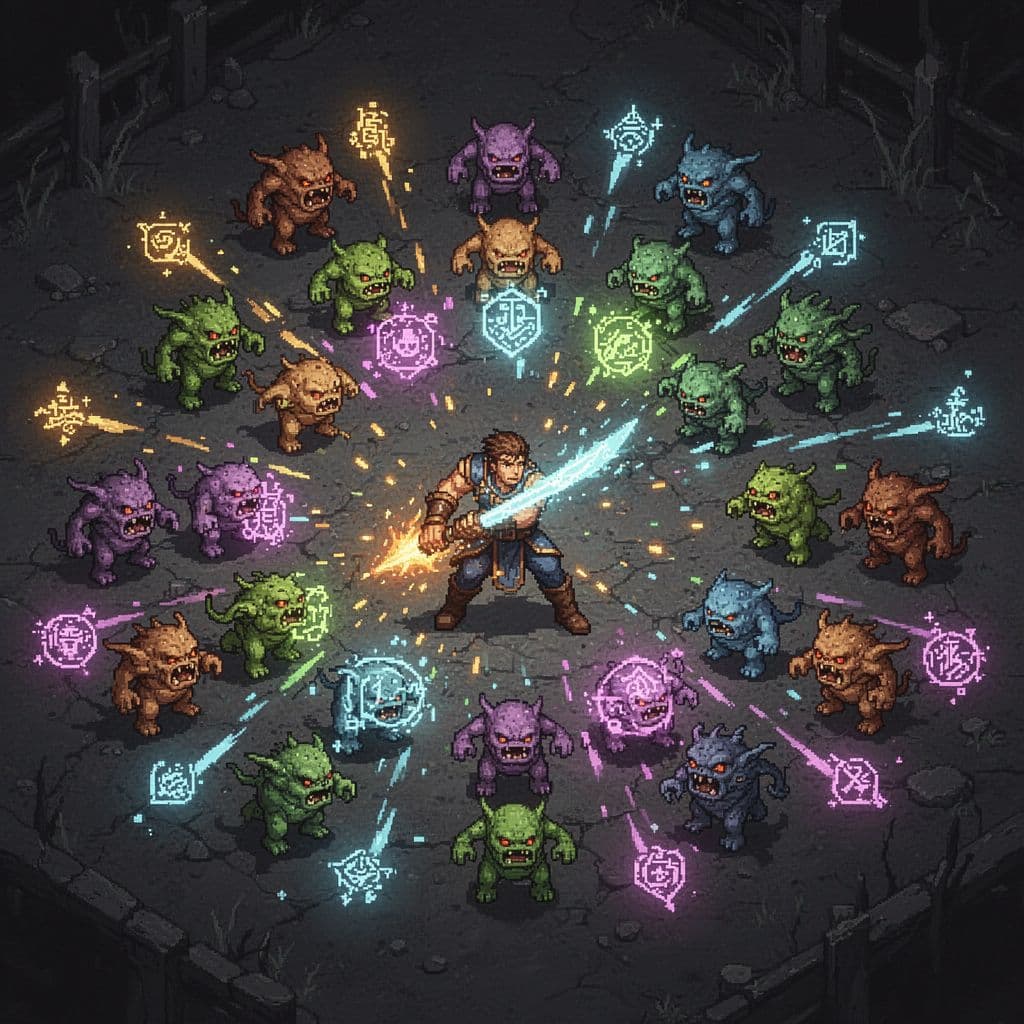
A lone character fights a massive swarm of pixelated monsters amidst vibrant neon magic effects.

Honkai: Star Rail for a polished story-driven RPG

Download Honkai: Star Rail if you want something bigger and more cinematic. It gives you turn-based combat, strong character design, and a polished look that fits the iPad's screen well.

This is a good pick for players who like story, team building, and steady progress. It also gets frequent updates, so it keeps growing instead of feeling finished. If you enjoy building a party and watching it improve over time, this one has plenty to offer.

Mini Motorways for smart, relaxing strategy

If calm strategy sounds better than chaos, download Mini Motorways. It turns traffic planning into a clean, clever puzzle, and it works beautifully on a tablet.

The game is easy to understand, but it keeps you thinking. You place roads, adjust routes, and try to keep a city moving. It is great for short sessions because each round feels complete, yet the challenge keeps changing just enough to make you replay it.

Stardew Valley for cozy farming and long play sessions

Download Stardew Valley if you want a slower game with lots to do. You can farm, fish, build, explore, and talk to people at your own pace.

That freedom is what makes it special on iPad. It works well when you want to relax without feeling bored. It also suits longer play sessions, because there is always another goal waiting. If your idea of fun is making steady progress, this is one of the best downloads on the list.

Clash Royale for quick multiplayer battles

For fast matches and a strong online scene, download Clash Royale. It is built for short battles, so it fits the iPad nicely when you want a quick competitive hit.

The best part is how easy it is to learn and how hard it is to master. You can play a few rounds, tweak your deck, and jump back in. If you like real-time competition and social play, this one still earns its place in 2026.

Which iPad game should you download first?

The easiest way to choose is to match the game to the kind of time you have. If you only want a few minutes, pick something quick. If you want a long evening, choose something richer.

If you wantStart with
fast actionVampire Survivors
a story-rich RPGHonkai: Star Rail
calm strategyMini Motorways
cozy, slow progressStardew Valley
quick online battlesClash Royale

That table makes the decision simple. Your best first download depends on whether you want speed, calm, depth, or competition.

Choose by the kind of game session you want

For short breaks, Vampire Survivors and Clash Royale are the easiest fits. For long evenings, Stardew Valley and Honkai: Star Rail give you more room to settle in. Mini Motorways sits in the middle, since it works well when you want a focused game that doesn't demand too much time.

Match the game to your mood and play style

If you want something intense, start with Vampire Survivors. If you want something smart and quiet, pick Mini Motorways. If you want a social or competitive edge, Clash Royale is the clearest choice. For a warm, low-pressure game, Stardew Valley is hard to beat.

Conclusion

The best iPad game depends on what kind of fun you want right now. Some days call for fast action, while others call for calm strategy or a slow, cozy world to spend time in.

Each game here brings something strong to the table, and all five work well on an iPad screen. Pick the one that matches your mood, then start your download and see which game keeps you coming back.

7 Best Games to Play With Friends Right Now

 Great group games don't waste time. They get everyone playing fast, then keep the room loud, tense, or laughing for the next hour.

That matters whether you're on the same couch or in a voice chat. The best picks work for two friends, four friends, or a bigger squad, and they still feel fresh after a few rounds.

This list mixes online and couch-friendly games, so you can match the mood before the night starts.

What makes a great game to play with friends?

The best friend games share a few traits. They explain themselves quickly, give people something to do, and stay fun after the first few matches. That matters more than a huge map or a long feature list.

Three diverse friends sit on a modern couch holding game controllers while smiling at a television.

Easy to learn, fun to keep playing

No one wants to spend 20 minutes on a tutorial while the rest of the group waits around. Strong group games explain themselves fast, use simple controls, and let people learn by doing.

Short rounds help too. When a match ends in a few minutes, a bad run feels fine because the next one starts right away. That kind of pace keeps the room engaged, even when someone is new.

The best examples do not ask for perfect skill on day one. They reward quick reactions, a little teamwork, and a sense of humor when things go wrong.

Works for your group size and play style

Some games shine with two players. Others need four or more before the fun really kicks in. The right choice depends on whether your group wants teamwork, trash talk, or pure chaos.

A good co-op game makes everyone feel useful. A party game gives people a chance to laugh at each other. A horror game adds pressure, then turns small mistakes into big stories.

The best group game is the one nobody has to explain twice.

That is why the strongest picks are the ones you can bring back next week and still enjoy. They do not rely on one lucky round.

The 7 best games to play with friends right now

These seven games cover the moods people keep coming back to in 2026. Some bring teamwork. Some bring panic. Some turn a simple plan into a mess. That variety matters more than any genre label.

Helldivers 2 for chaotic team fights

Helldivers 2 download is perfect for friends who want loud co-op and constant movement. You drop into missions, split tasks, and try to stay alive while the squad makes bad calls at the worst time.

Friendly fire keeps every win funny. One mistake can change the whole run, which is exactly why the game works so well with a real friend group.

Three soldiers in tactical armor stand back-to-back while explosions erupt across a harsh alien landscape.

That mix of action and shared panic works especially well for players who like shooters and light strategy. The game rewards teamwork, but it also rewards a group that can laugh when the plan falls apart.

It Takes Two for the best two-player co-op story

It Takes Two download is one of the cleanest two-player co-op choices you can make. Every level is built for a pair, so both players stay active from start to finish.

The game keeps changing the tools and puzzles, which stops the rhythm from getting stale. One moment you're solving a puzzle, and the next you're handling an action scene that needs both of you.

That makes it feel fresh the whole way through. If you only need one friend online and want a full shared adventure, this is an easy yes.

Lethal Company for scary moments and big laughs

Lethal Company download mixes horror, scavenging, and bad timing in a way that keeps groups hooked. You enter creepy places, look for scrap, and race back before things go wrong. They usually do.

What makes it work is the shift from silence to chaos. The game is scary, but it turns funny the second a teammate runs the wrong way or yells over voice chat.

That scramble back to safety is part of the fun. It is a great fit for friends who want tension without losing the joke.

Overcooked! 2 for nonstop party chaos

Overcooked! 2 download is pure party energy. Orders stack up fast, kitchens move, and everyone starts shouting about one missing plate. The rules are simple, so new players can learn in minutes.

Even so, the game stays tricky because every level adds a new twist. One kitchen might move, another might split the team, and another might force everyone to rethink the whole plan.

That is why people return to it. It is easy to understand on minute one and still funny on minute fifty. If your friends enjoy noisy local play or quick online sessions, this one still lands.

Phasmophobia for ghost hunting with friends

Phasmophobia download is a smart pick when your group likes mystery as much as scares. You and your friends collect clues, test theories, and decide what kind of ghost you're dealing with.

The pressure builds because every step matters. Lights flicker, voices crack, and the whole team starts second-guessing the plan. That is where the fun lives.

It works best with players who like to talk, listen, and piece things together. The game rewards calm teams, but it also creates great panic when things go wrong.

R.E.P.O. for weird co-op fun

R.E.P.O. download is one of those co-op games that feels weird in the best way. The setup is simple enough, but the moment-to-moment play gets messy fast.

Your group has to coordinate, move carefully, and handle whatever strange problem shows up next. Even simple tasks can turn into group stories before the round is over.

That unpredictability is the draw. It feels fresh because the game does not settle into one pattern for long. If your crew wants something with a stranger edge, this is worth a look.

Roblox for endless games inside one platform

Roblox download is less a single game and more a giant mix of friend-friendly games inside one platform. That makes it one of the easiest picks when your group can't agree on a genre.

You can jump into minigames, obstacle runs, roleplay worlds, and co-op spaces without much setup. Some sessions last five minutes, while others keep a group busy much longer.

That variety is the point. If you want options instead of commitment, Roblox gives you a place to start fast and switch things up when the mood changes.

How to pick the right one for your friend group

Picking the right game gets easier when you start with the mood. Team nights need co-op. Loud nights need party chaos. Quiet, tense nights need horror.

A game that fits the group is always better than a famous game that doesn't.

Choose co-op, party, or horror based on your vibe

Choose co-op when your group likes shared wins and a sense of progress. That points you toward games where everyone works toward one goal and no one gets left out.

Pick party chaos when the fun comes from noise and quick mistakes. Those games are best when people want fast rounds, simple goals, and plenty of laughs after a mess.

Go with horror when the room enjoys tension, then laughs about it later. The scares matter, but the group reaction is what makes those nights memorable.

Think about time, skill level, and platform

Short game nights fit titles you can open and play within minutes. Longer nights can handle something with more setup and a bigger learning curve.

Platform matters just as much. The best idea falls apart if one person can't join. Before you commit, check whether your group is on PC, console, or a mix.

Skill level matters too. A game that feels great for one skilled duo can feel rough for six casual players. Match the game to the group, and the rest gets easier.

Conclusion

The best games to play with friends are the ones that match your group's energy. Some nights call for teamwork, some call for ghost stories, and some call for total kitchen chaos.

Start with the mood first, then pick the game that fits it. If you want the simplest move tonight, choose one title, send it to the group, and start playing today.

Top 5 Free Android APK Games Worth Trying in 2026

 Free mobile games are easy to find, but good ones are harder to spot. When an Android APK game gets attention, it usually means people want faster access, a wider device choice, or a release that isn't sitting neatly in the Play Store.

An APK is simply the install file for an Android app or game. People look for APK downloads when they want a direct install, an early build, or a game that isn't easy to find in standard store listings. This list focuses on current free options in May 2026, and the safest move is to stick with trusted sources only.

What to know before you download Android APK games

APK downloads work a little differently from regular Play Store installs. The Play Store handles the install process for you, while an APK file puts that file on your phone first, then you install it yourself. That extra step gives you more control, but it also means you need to pay closer attention.

Storage matters more than many players expect. A game can look small at first, then grow after updates, extra files, or saved content. Android version support matters too, because a game that runs well on one phone may refuse to open on another. Before you tap download, check the file size, the device space you have left, and the Android version listed by the source.

How APK files work on Android

An APK is the package Android reads when it installs an app or game. In plain terms, it is the box that holds the game files, so your phone can unpack and run them.

That means the file itself is only part of the story. You still need a phone that can handle the game, enough free space, and a source you trust.

How to stay safe when installing games outside the Play Store

Good habits make a big difference here. Trusted sites like the game's official page or known stores are usually safer than random mirrors with too many pop-ups.

  • Check who hosts the file before you tap anything.
  • Read the permission list, because a game should not need access to your contacts or messages.
  • Match the APK to your phone's Android version and storage space.

If a site pushes odd permissions or looks messy and broken, close it and move on.

A person holds a smartphone in both hands while playing a game in a dimly lit room.

The five free Android APK games that stand out right now

Each game below fits a different kind of player. Some are built for quick action, while others work better for slow sessions, team play, or open-ended chaos.

Glowing swords and tactical map icons float against a vibrant background representing digital gaming.

Battlesuit Aces for fast anime-style action

If you like bright effects and quick fights, Battlesuit Aces is the kind of game that keeps your thumbs busy. Its appeal comes from speed, sharp combat, and a style that feels made for players who want action without waiting around.

It works best for people who want short matches and flashy battles on the go. If that sounds like your lane, you can download it and see how it plays on your device.

RELLION for players who like action plus character growth

RELLION mixes combat with character progression, which gives it more staying power than a simple action game. You are not only fighting, you are also building up your character and making each run feel a little different.

That progression loop matters if you like games that reward time and patience. If you want a free APK with room to grow, download it and try a few runs first.

Kingdom Heroes Arena for team fights and strategy

Kingdom Heroes Arena is a better fit if you enjoy planning as much as playing. Team battles, hero builds, and smart timing give it a more tactical feel than many free mobile games.

The best part is how each match can feel different when your team setup changes. If you like games that ask you to think before you swing, download it and test a few hero combinations.

RV There Yet Simulator for casual fun and short play sessions

Some games are for focus. This one is for laughs. RV There Yet Simulator leans into a relaxed, goofy feel that works well when you only have a few minutes to spare.

That makes it a nice pick for breaks, commutes, or late-night phone time. If you want something lighter than a battle-heavy title, download it and keep it handy for quick sessions.

Gangstar Mirage for open-world chaos and mission-based play

Gangstar Mirage is for players who want more space to mess around. Driving, shooting, and open-world freedom give it a bigger sandbox feel than most quick-hit mobile games.

Mission-based play also gives you a clear target, so you can roam or focus depending on your mood. If you want a free APK with more room to explore, download it from a source you trust.

How to pick the right game for your phone and play style

The best free APK game is the one that fits your habits. If you only play in short bursts, a casual game makes more sense than a long progression grind. If you want deeper systems, a strategy or RPG pick will hold your attention longer.

Also think about how your phone handles games. Some devices are fine with bigger installs and constant online play. Others do better with lighter files and simpler graphics. Battery use matters too, especially if you play away from a charger.

Choose by genre, not just by popularity

Popularity helps, but taste matters more. If you like fast combat, start with Battlesuit Aces. If you want growth and upgrade paths, RELLION fits better. If you enjoy team setups and planning, Kingdom Heroes Arena is the smarter match.

Casual players should look at RV There Yet Simulator first. Players who want a bigger playground will probably get more out of Gangstar Mirage. The right genre saves time and makes the install feel worth it.

Check storage, battery, and Android version support first

Before you install anything, check three things. Make sure you have enough storage, confirm your Android version can run the game, and think about battery drain if you play often.

That quick check avoids a lot of frustration later. A game can look perfect on paper, but if your phone struggles, it will not be fun for long.

Conclusion

The five picks here cover a lot of ground, from quick anime-style action to open-world chaos and relaxed, silly play. That mix makes it easier to find a free game that matches your phone and your mood.

The safest approach is simple. Use trusted sources, check permissions, and make sure the APK fits your device before you install anything.

Pick the game that matches your style best, then try it today.

Top 5 APK Download Websites You Can Trust in 2026

 APK download websites help when an app is missing from Google Play, blocked in your country, or rolled back to an older version. They are useful, but safety matters more than speed.

A clean app page, clear version info, and a trusted source matter more than a flashy download button. The five sites below are the names worth knowing in 2026, with a focus on trust, app library size, ease of use, and practical features.

Why people use APK download websites instead of app stores

People usually turn to APK sites for simple reasons. Maybe an app was removed from the store. Maybe the newest update broke something on an older phone. Maybe the app is region locked, or maybe it lives only in the open-source world.

That makes APK sites handy, especially when you need control. You can often find older versions, beta builds, or apps that never made it into the official store.

A person holds a smartphone while viewing a clean website interface on a bright office desk.

When APK sites make sense for everyday users

APK websites make sense when your phone can't run the newest app version. They also help when an app isn't available where you live.

Some people use them to test an update before moving to it full-time. Others want open-source apps that never appear in bigger stores. In each case, the source has to look clean and real.

The biggest risks to watch for before you tap download

The biggest risk is a fake APK that looks like the real thing. Some files are modified, renamed, or wrapped in ads.

Watch for odd app names, strange permission requests, and mirror sites that copy trusted brands. Also check the developer name, version number, file size, and comments when the page offers them.

A clean APK page is more useful than a fast download button.

The top 5 APK download websites ranked by trust and usefulness

These five sites lead the pack because they balance safety, variety, and ease of use in different ways.

APKMirror, the best pick for safe and verified app files

APKMirror is the first stop for many Android users who want a reliable place to download APK files. It has a strong reputation for checking uploads, and that matters when you don't want surprises.

It is also useful for older versions of popular apps. If an update causes problems, APKMirror often makes it easier to roll back without digging through shady sites.

A person holds a smartphone displaying a prominent checkmark to indicate a secure application file.

APKPure, the easiest choice for a large app library

APKPure is known for its large catalog and simple layout. If you want to download a wide range of apps without a lot of friction, it is one of the easiest sites to use.

It can also help when an app is not available in your region. Still, you should always check the file details before installing, because a big library does not replace careful review.

F-Droid, the best option for free and open source apps

F-Droid is different from the other names on this list. It only offers free and open-source apps, so the catalog is smaller, but the focus is clear.

That makes it a strong choice for privacy-minded users. If you want to download open-source software without a lot of extra noise, F-Droid is a dependable place to start.

Aptoide and Uptodown, two flexible alternatives with wide app support

Aptoide is one of the biggest alternative app stores, and it gives you access to a broad mix of apps. If you want more choice, it can be a helpful place to download apps that are hard to find elsewhere.

Uptodown is another solid option because it keeps app pages easy to read and often shows version history clearly. That helps when you want to compare builds before you install.

How to choose a safe APK website before you install anything

A good APK site does not hide the basics. It shows who made the app, when it was updated, and which version you are getting.

Check for clear app details, developer names, and version history

Before you tap anything, look for the app name, publisher, update date, version number, and file size. Those details help you spot fake or outdated files fast.

Clear app pages are a good sign. If a site makes that information hard to find, treat it with caution.

Avoid clone sites, strange redirects, and files that ask for too much

Fake APK sites often use web addresses that look close to the real one. They also love pop-ups, extra buttons, and redirects that try to confuse you.

Permissions matter too. If a flashlight app wants access to your contacts and messages, walk away. The request should match what the app actually does.

Scan APK files and keep your phone protected

Scan every APK before installing it. You can use built-in security tools or a trusted antivirus app.

Only install files you need, and remove anything that starts acting strange. A few extra seconds of checking can save you a lot of trouble later.

Conclusion

The best APK download website depends on what you need, but the main names to know are APKMirror, APKPure, F-Droid, Aptoide, and Uptodown. Each one has a different strength, from verified files to open-source apps and broad app support.

The safest habit is simple. Trust the source, check the details, and scan before installing.

8 Best Free VPN Apps for 2026: Safe Picks for Phones and PCs

 Free VPN apps can help with basic privacy, safer public Wi-Fi use, and simple location masking. They can also frustrate you fast if the app is slow, ad-heavy, or packed with limits.

That matters more in 2026 because many free VPNs look useful at first glance, then fall apart in daily use. This guide focuses on the apps that make sense on Android, iPhone, Windows, and Mac, with a simple eye on safety, speed, ease of use, and real value.

How to choose a free VPN app that is actually worth using

A good free VPN should do more than hide a map pin. It should have a clear privacy policy, a clean app, and limits that make sense for your habits. If a service hides its rules, floods the screen with ads, or asks for too much data, move on.

A person sits at a wooden cafe table using a laptop and smartphone simultaneously.

Look for strong privacy rules, not just a free price tag

Free VPNs are easy to copy, but trust is harder to build. A clear no-logs policy, a known company, and a privacy policy you can read in plain language matter more than a flashy app icon.

A vague promise like "secure browsing" means little if the provider keeps too much data or shares it in unclear ways. You want a service that explains what it collects, why it collects it, and how long it keeps it.

Check data limits, speed, and supported devices

Free plans often come with monthly data caps, speed limits, or fewer servers. That affects streaming, video calls, gaming, and even long browsing sessions. A VPN that feels fine for email may feel cramped after one afternoon of video use.

Device support matters too. If you use both phone and laptop, choose an app that works on Android, iPhone, Windows, and Mac. Also check app store ratings, because poor ratings often point to bugs, ads, or weak support.

The 8 best free VPN apps for 2026

Stick to official app stores or the provider's own website when you install any VPN. Free clones and fake listings show up often, and they are not worth the risk.

VPN appBest forMain free-plan tradeoff
Proton VPN FreePrivacy and unlimited dataFewer free locations, slower at busy times
PrivadoVPN FreeEveryday speed and easy useMonthly data cap, smaller server choice
Windscribe FreeMore location optionsLimited data, a little less simple
hide.me FreePrivacy-first backup choiceLimited data and server access
TunnelBear FreeBeginnersVery small data cap
Avira Phantom VPN FreeCasual browsingNot ideal for heavy use
Urban VPNWide device supportBigger trust and privacy concerns
Betternet FreeVery light useAds, speed limits, and tighter restrictions
A person holds a smartphone displaying a glowing shield icon on the screen to represent digital security.

The short version is simple. Proton VPN Free is the safest all-around choice, while PrivadoVPN Free and Windscribe Free are solid backups if you want different strengths.

Proton VPN Free, best for unlimited data and privacy

If you want to download Proton VPN Free, start here. It is the best free pick for most people because it has no data cap, no ads, and a strong privacy-first approach.

It also works on the major platforms, so it fits phones and desktops well. The tradeoff is a smaller set of free servers, and speeds can slow down when those servers get crowded.

PrivadoVPN Free, best for speed and simple everyday use

If you want to install PrivadoVPN Free, expect a clean app and a smooth setup. It is a strong option if you want fast everyday browsing without much fuss.

The free plan does have a data cap, and the server selection is smaller than some paid services. Even so, it feels practical for people who want something quick and easy.

Windscribe Free, best for more location choices

If you want to download Windscribe Free, you get more flexibility than many free VPNs offer. It has useful privacy tools and a wider spread of free server options.

That said, the app can feel a little less simple than Proton VPN Free. It also comes with a data limit, so it works better for normal browsing than long video sessions.

hide.me Free, a strong backup option with solid privacy

If you want to install hide.me Free, you get a privacy-first app with good security basics. It supports both mobile and desktop, which makes it easy to keep one VPN across devices.

The free version still has limits on data and server access. Still, it is a smart backup when you want a cleaner free plan and a dependable name.

TunnelBear Free, best for beginners who want an easy app

If you want to download TunnelBear Free, you will probably notice the friendly design first. The app is simple, and the setup feels easy even if you have never used a VPN before.

Its free data cap is small, so this is better for light browsing than streaming or long work sessions. For casual users, though, the simplicity is the main draw.

Avira Phantom VPN Free, a simple pick for casual browsing

If you want to install Avira Phantom VPN Free, keep your expectations modest. It is built for basic protection and quick day-to-day use.

The app is easy to set up, and that makes it friendly for casual users. It is not the strongest choice if you need a lot of data or frequent VPN use.

Urban VPN, a free option with wide device support but bigger tradeoffs

If you want to download Urban VPN, do a little more homework first. The service is easy to find and often appeals because it is free and widely available.

Even so, the privacy and trust concerns are bigger here than with the top picks above. That makes it a poor choice for anyone who wants a cleaner, more predictable VPN experience.

Betternet Free, a basic option for light use only

If you want to install Betternet Free, treat it as a casual tool rather than a top privacy pick. It can work for light tasks, but the limits show up fast.

Ads and speed caps can make the app feel cramped. Because of that, it belongs near the bottom of the list for most users.

Which free VPN is best for your phone or computer

The best free VPN depends on how you use your device. A strong phone app is not always the best desktop pick, and the safest service is not always the fastest.

NeedBest free pick
AndroidProton VPN Free
iPhoneProton VPN Free
WindowsProton VPN Free or PrivadoVPN Free
MacProton VPN Free or PrivadoVPN Free

Best free VPN for Android and iPhone

Proton VPN Free is the best mobile-friendly choice for most people. It has unlimited data, which matters on phones because mobile use adds up fast.

It is also easy to understand, so you do not have to fight the app to get protection on public Wi-Fi. If you want a more speed-focused backup, PrivadoVPN Free is the next one to check.

Best free VPN for Windows and Mac

On desktop, Proton VPN Free is still the strongest all-around option. It gives you broad compatibility, simple controls, and enough freedom for daily browsing.

PrivadoVPN Free is a good second pick if you want a clean desktop app and decent speed. For many users, those two cover the main needs without making setup harder than it should be.

Best free VPN for streaming, school, and public Wi-Fi

Free VPNs are weak choices for streaming. Services often block them, and data caps get in the way fast. If streaming is your main goal, a free plan will usually disappoint you.

For school work and public Wi-Fi, Proton VPN Free and hide.me Free make more sense. They are better suited to basic protection, safer browsing, and use on unsecured networks.

What free VPN apps can and cannot do in 2026

A free VPN can help hide your IP address from websites and add protection on public Wi-Fi. That is useful, especially when you are on a café network, airport Wi-Fi, or a shared connection.

It cannot make you invisible online. Your accounts still reveal who you are when you sign in, and websites can still track you with cookies, device data, and login activity.

A free VPN is a privacy tool, not a magic shield.

Limits matter too. Free plans often include slower speeds, fewer servers, and monthly caps. Some also run into blocked streaming services, crowded servers, or heavier ad pressure.

That is why the best free VPN is the one that matches your habits. Light browsing and safe hotspot use need far less than long video sessions or constant desktop work.

Conclusion

For most people, Proton VPN Free is the best all-around choice in 2026. It gives you unlimited data, broad device support, and a stronger privacy story than most free VPN apps.

PrivadoVPN Free and Windscribe Free are the best backups when you want a different balance of speed or server choice. TunnelBear, hide.me, Avira Phantom VPN, Urban VPN, and Betternet each have a place, but only for narrower use cases.

Before you install anything, use official app stores or the provider's own site, check the privacy policy, and pick the app that fits your device and data needs.

10 Best VPNs for Windows in 2026

 Windows users need a VPN for a few simple reasons. It helps protect your privacy, keeps public Wi-Fi less risky, and can also improve access to streaming services without turning your PC into a headache to manage.

The best VPN for Windows should feel easy from the first launch. It should be fast enough for video calls and downloads, clear enough for everyday use, and flexible enough for different needs, whether you care most about privacy, streaming, or price.

This guide covers both paid and free options, with picks for privacy-first users, the best all-around choice, and the best budget-friendly picks.

What Windows users should look for in a VPN

A person sits at a clean, modern desk focusing on work tasks on their laptop.

A good Windows VPN should fit the way you actually use your PC. That means a clean app, strong privacy rules, good speeds, and a server network that reaches the places you care about.

A Windows app that is easy to use

A good app saves time every day. One-click connect matters, because most people do not want to hunt through menus before coffee. A simple server list, a clear home screen, and settings that are easy to find make a VPN feel useful instead of annoying.

Windows users also benefit from easy extras, like a visible kill switch and split tunneling. The first cuts your connection if the VPN drops. The second lets chosen apps skip the VPN when that makes sense.

Strong privacy and no-logs policies

"No-logs" means the VPN does not keep records of what you do online. That matters because a VPN cannot protect your privacy if it stores too much data about you.

Look for clear privacy policies, public ownership details, and independent audits when available. Those details help you separate a serious privacy service from one that only says the right words.

Fast speeds for streaming, gaming, and downloads

Speed changes how a VPN feels on Windows. Slow service can ruin a movie night, drag out file downloads, and add lag to games or video calls.

The best VPNs keep speeds steady on nearby servers and hold up well on long-distance connections too. That matters if you stream Netflix, join work meetings, or play games where ping numbers matter.

The 10 best VPNs for Windows right now

A smiling person types on a laptop inside a bright, warm coffee shop.

A strong Windows VPN should feel simple on day one and dependable on day thirty. The picks below balance privacy, speed, and ease of use without padding the list with weak options.

Mullvad, best for privacy-first Windows users

Mullvad is the cleanest choice if privacy comes first. If you want to install it, the Windows app stays simple and gets out of the way fast.

It does not chase flashy extras, and that is part of its appeal. You get strong privacy, solid speeds, and a no-nonsense setup. The main tradeoff is fewer bonus features than some bigger rivals.

Proton VPN, best all-around option

Proton VPN is easy to recommend for most Windows users. If you want to install one VPN and forget about the rest, this is a safe place to start.

Its Windows app is polished, its privacy stance is strong, and the free plan helps new users test the service. The paid version adds more speed and server choice, which makes it a strong everyday pick.

ExpressVPN, best for streaming and easy setup

ExpressVPN is built for people who want speed and simplicity. If you want to install something that works with little setup, this one is hard to beat.

It performs well for streaming and feels friendly right away on Windows. The downside is price, because it usually costs more than many rivals. Still, beginners often like how little they need to think about it.

NordVPN, best balance of speed and features

NordVPN is the strongest all-around match for many Windows users. If you want to install one service and keep it for the long run, this is a top contender.

It combines fast speeds with useful security tools and a polished app. Deals can make it a very good value too, which helps if you want premium features without paying the full sticker price.

Surfshark, best for families and unlimited devices

Surfshark works well for homes full of devices. If you want to install a VPN for your laptop, phone, and maybe everyone else's too, the unlimited device limit is a big win.

The Windows app is simple, and the pricing often makes it one of the best budget-friendly paid picks. The tradeoff is that it is a little less polished than the most expensive options.

Private Internet Access, best for customization

Private Internet Access is for users who like control. If you want to install a VPN with lots of settings, PIA gives you room to adjust things your way.

It has a large server network and strong value for the money. The app can feel busy at first, so it suits people who want flexibility more than a super-simple layout.

CyberGhost, best for beginners

CyberGhost is a good starting point for new Windows users. If you want to install something easy to understand, this one keeps the learning curve low.

Its labeled servers help users find streaming or privacy-friendly choices fast. That makes it a friendly option if you want a VPN that explains itself instead of making you guess.

Proton VPN Free, best free VPN for Windows

Proton VPN Free is the best free option for many people. If you want to install a free plan with a serious privacy focus, it is a strong place to begin.

The free version is safe, ad-free, and generous compared with many free VPNs. The tradeoff is a smaller server list and slower performance than the paid plans, so heavy streaming users may outgrow it.

Windscribe, a strong free and paid hybrid option

Windscribe works well for users who like flexible plans. If you want to install a VPN with a useful free tier, it gives you a nice middle ground.

Its privacy tools are solid, and its paid plan can scale with your needs. It suits Windows users who want to test a service first and upgrade later if it fits.

Mullvad or NordVPN, the best value picks

If pure privacy matters most, Mullvad is the cleaner buy. If you want to install a feature-packed VPN, NordVPN gives you more tools and often better value during sales.

That split is simple. Mullvad is the better fit for privacy-first users, while NordVPN is the better all-around deal for people who want speed, features, and broad day-to-day use.

How to choose the right VPN for your Windows PC

The best pick depends on what you do most often. A privacy-first user, a streaming fan, and a student on a tight budget do not need the same VPN.

Pick privacy first if you care about security

Choose a privacy-focused VPN if your main goal is protection. Look for a clear no-logs policy, a kill switch, and strong privacy history.

Mullvad and Proton VPN are both good starting points here. They make sense for people who want fewer questions and more trust.

Pick speed and streaming support if you watch a lot of video

If you stream often, speed matters more than almost anything else. You want smooth playback, quick server switching, and good support for popular services.

ExpressVPN and NordVPN are strong picks in this lane. They suit people who use Windows for Netflix, sports, YouTube, or long watch sessions.

Pick the free or budget option if cost matters most

Free VPNs can help, but they come with tradeoffs. Proton VPN Free is the strongest free choice here, while Windscribe gives you more flexibility if you want a free-to-paid path.

For paid low-cost value, Surfshark is the smart pick for households with many devices. PIA is another solid choice if you want more control for your money.

Conclusion

Windows users have a lot of good VPN choices in 2026, but the best one depends on your main need. Mullvad is the best pick for privacy, Proton VPN is the most balanced choice for most people, ExpressVPN is great for streaming, and NordVPN gives you the strongest mix of speed and features.

If you want the shortest path to a decision, start with Mullvad for privacy, Proton VPN for everyday use, or NordVPN if you want the best all-around value.

5 Fastest VPN Apps for Mobile Users in 2026

 A slow VPN on your phone feels worse than no VPN at all. Video buffers, games stutter, and even simple browsing can drag when you're on the move.

On Android and iPhone, speed matters most when you're streaming, gaming, checking email on public Wi-Fi, or switching between mobile data and home internet. The best app should stay quick without turning setup into a chore.

This guide compares the fastest VPN apps for mobile users based on real-world speed, ease of use, and everyday value, not brand hype.

What makes a VPN fast on a phone?

Mobile VPN speed comes down to a few plain things. The first is distance, because data usually moves faster when the server is close. The second is crowding, because a busy server can slow everyone down. The third is how well the app handles changes in signal, since phones jump between Wi-Fi and mobile data all the time.

A person sits at a table in a modern cafe while holding and looking at a smartphone.

A VPN can feel fast in one moment and slow the next if the nearest server gets crowded.

Server distance and network load

Nearby servers usually give better speeds because your traffic has less ground to cover. That can make pages load faster and videos start with less delay. Still, distance is only part of the story.

A server can sit close to you and still feel slow if too many people use it at once. That is why a strong mobile VPN gives you several server choices, not just one or two.

Protocol choice and app design

The protocol matters because it affects how quickly the app connects and how steady the link stays. Newer protocols often move data more efficiently, which helps on phones where every second counts.

App design matters too. A clean layout, fast connect button, and simple server list can save time every day. A cluttered app wastes taps and makes a good VPN feel heavier than it should.

Battery use and background performance

A fast VPN should also stay light on battery. If it drains power too fast, you end up turning it off, which defeats the point.

It should also run well in the background. A good mobile app reconnects fast after signal drops and does not make the phone feel sluggish while you browse, stream, or switch apps.

The five fastest VPN apps for mobile users

These five apps stand out because they balance speed, easy setup, and real mobile value. If you want the quickest path to trying one, you can focus on the app that fits your daily habits best.

Glowing blue and white lines connect digital nodes against a dark minimalist background.

NordVPN, the best overall pick for speed

NordVPN is the safest first pick if you want to install one app and keep speed high. It feels smooth on both Android and iPhone, and the app makes server switching simple.

Its biggest strength is balance. You get quick connections, strong security tools, and a mobile layout that does not slow you down. If you want the best mix of speed and protection, NordVPN sits at the top.

Surfshark, fast performance with unlimited devices

Surfshark is a smart choice for families or anyone who uses more than one device. You can install it on a phone, tablet, and laptop without worrying about device caps.

It also feels quick for streaming and easy server changes. That helps when you travel, hop between networks, or want to switch regions without digging through menus.

Proton VPN, the best free fast option

Proton VPN is the best free fast option for mobile users who want a no-cost app without a messy setup. You can install it and start with the free plan in a few taps.

The free tier is limited, but it is clean, stable, and easy to live with on a phone. For casual browsing, messaging, and lighter streaming, it gives solid value without asking for payment up front.

IPVanish, strong mobile speed for everyday use

IPVanish works well when you want a straightforward VPN for daily browsing. You can install it and get a simple app that gets out of the way fast.

It is also a good fit for public Wi-Fi, travel, and routine use on mobile data. The app feels responsive, which matters when you want privacy without turning your phone into a slow device.

Private Internet Access, fast and flexible for power users

Private Internet Access gives you more control than many mobile VPN apps. If you like choosing servers with more detail and adjusting settings, you can install PIA and fine-tune the setup.

It also keeps speed reliable enough for everyday use. That makes it a strong match for people who want control on mobile but still care about smooth browsing and video.

How to pick the right fast VPN for your phone

The best choice depends on how you use your phone. A traveler, a streamer, and a casual browser do not need the same app.

Choose speed first if you stream or game on mobile

If you watch a lot of video or play live games, low lag matters more than a long feature list. A VPN that loads pages fast but pauses on video is the wrong fit.

Look for quick connection times and stable servers. That matters most on crowded networks and weak Wi-Fi, where slow handoffs can ruin the experience.

Choose free or paid based on how often you use it

If you only need a VPN once in a while, a free app like Proton VPN can be enough. For daily use, paid plans usually feel faster and more stable.

That difference shows up when you switch networks, stream on lunch break, or keep the VPN running in the background. Heavy users feel it first.

Check app simplicity, server options, and support

A good mobile VPN should be easy to open, quick to connect, and simple to change servers. If the app takes too many taps, you will stop using it.

Support also matters when a connection fails or a server slows down. Fast help saves time on a phone, especially when you need privacy right away.

The best phone VPN is the one you barely notice after opening it.

Conclusion

NordVPN is the best all-around pick, Surfshark is great for multiple devices, Proton VPN is the best free option, IPVanish is strong for everyday phone use, and Private Internet Access gives power users more control.

The main takeaway is simple. The fastest VPN on your phone is the one that stays quick on your network, fits your budget, and feels easy to use every day.

5 Best VPNs for CapCut Pro and TikTok in 2026

CapCut Pro and TikTok are built for quick moves, but the connection behind them matters more than people think. A VPN can help with privacy, faster access in some regions, and fewer app hiccups when your normal route feels slow or blocked.

That said, not every VPN handles video editing and short-form uploads well. A weak one can bring lag, buffering, or failed exports, so the right pick matters if you want smooth posting and fewer headaches.

What makes a VPN a good choice for CapCut Pro and TikTok?

The best VPN for these apps has to do three things well. It needs to stay fast, protect your data, and connect without drama on a phone.

Fast speeds for smooth editing and uploads

CapCut Pro leans on a stable connection when you export, save projects, or use cloud features. TikTok also punishes slow speeds because uploads can stall or fail halfway through.

A slow VPN can make the app feel broken. You may see lag, long waits, or a video that never finishes posting. Speed should be the first thing you check.

Strong privacy and trusted no-logs policies

Privacy matters because you use these apps with personal accounts and often on public Wi-Fi. A VPN hides your IP address and encrypts your traffic, which gives you more control over your online activity.

A no-logs policy means the provider does not keep records of what you browse or what you do online. That simple promise helps build trust.

Server locations that work well for app access

Some CapCut tools, templates, or updates show up in certain regions first. TikTok can also behave differently depending on where your connection appears to be.

Servers in Singapore, Japan, South Korea, and Indonesia can be useful if you want more location choices. A wider server list gives you more chances to find a clean, fast route.

A minimalist blue and white map features glowing nodes connected by lines to visualize global data paths.

Easy apps and reliable connections on mobile

CapCut and TikTok live on phones for most people, so the VPN should feel simple. You want quick sign-in, one-tap connection, and steady performance on both iPhone and Android.

If a VPN takes too long to connect, you'll skip it. The best apps stay out of your way.

A person holds a smartphone displaying a video editing app interface with bright natural lighting.

The 5 best VPNs for CapCut Pro and TikTok in 2026

Here's the quick view, then the details. The best option depends on whether you care most about speed, price, privacy, or easy setup.

VPNBest forWhy it stands out
NordVPNBest overallFast speeds, large server network, strong privacy
SurfsharkBudget valueLow price, unlimited devices, simple apps
ExpressVPNEasy useStable connections, polished mobile experience
WindscribeLight useSimple setup, basic privacy, flexible access
Proton VPNPrivacy-first usersStrong privacy focus, useful free plan

NordVPN, best overall for speed and reliability

NordVPN install is the safest all-around pick for CapCut Pro and TikTok. It has fast performance, a huge server network, and strong privacy features, so it handles daily use with little fuss.

If you want one VPN that fits most people, start here.

Surfshark, best budget-friendly option

Surfshark install gives you a lower price without feeling bare-bones. It also allows unlimited device connections, which is great if you use a phone, tablet, and laptop.

For families or multi-device users, the value is hard to ignore.

ExpressVPN, best for easy use and dependable performance

ExpressVPN install is the premium choice for people who want simple apps and steady connections. It costs more than some rivals, but the setup is easy and the daily experience feels smooth.

If you hate tweaking settings, this one is a strong fit.

Windscribe, a simple option for lighter use

Windscribe install works well for basic privacy and casual app access. It is fine for lighter editing and normal posting, especially if you want something straightforward.

For heavy exports or frequent uploads, a faster paid plan will usually feel better.

Proton VPN, strong privacy with a solid free plan

Proton VPN install is the privacy-first option in this group. Its free plan can help you test the waters, but paid plans are better for smoother CapCut Pro work and fewer upload delays.

If trust matters most, Proton VPN is worth a look.

How to set up a VPN for CapCut Pro and TikTok without problems

The setup is simple if you keep the order clean. Install the VPN, sign in, and test a nearby server before you start changing too many settings.

Pick a nearby server for the best speed

Start with a server close to your actual location, or one the app recommends. Nearby servers usually give better speed and fewer drops.

If CapCut still acts up, try a second location before you assume the VPN is the issue.

Update the apps before testing the connection

Make sure CapCut and TikTok are updated first. Old versions can cause bugs that look like VPN trouble, when the app itself is the real problem.

A quick update can save a lot of guesswork.

Turn off the VPN only if the app stops working properly

If an app breaks after you connect, switch servers first. You can also try a different protocol if your VPN offers one.

Turn the VPN off only as a test, so you can compare the results clearly.

Paid VPNs vs free VPNs for CapCut Pro and TikTok

Free VPNs look tempting, but they usually struggle with speed, data limits, and crowded servers. That gets in the way fast when you export video or upload clips.

If your video keeps failing on public Wi-Fi, a weak free VPN usually makes the problem worse.

TypeGood pointsWeak points
Free VPNsNo cost, useful for testingSlow speeds, data caps, weaker privacy
Paid VPNsFaster, more servers, better privacyCosts money

Paid VPNs are the better choice if you edit often or post regularly. Free plans can work for a quick test, but they rarely feel smooth for daily video use.

Conclusion

For most people, NordVPN is the best overall choice for CapCut Pro and TikTok because it balances speed, privacy, and reliability. If you want to spend less, Surfshark is the best budget pick.

ExpressVPN is the premium option for anyone who wants easy setup and steady performance. Choose based on what matters most, speed, price, or simplicity, and you'll end up with a VPN that stays out of your way.

Unlimited Money APKs

 People search for an That's why the topic keeps showing up in game forums and search results. Some players want to test a game with ex...